Step 1 Open the Taobao App on your phone.Then, tap on the area marked with the red circle (as shown in the image).
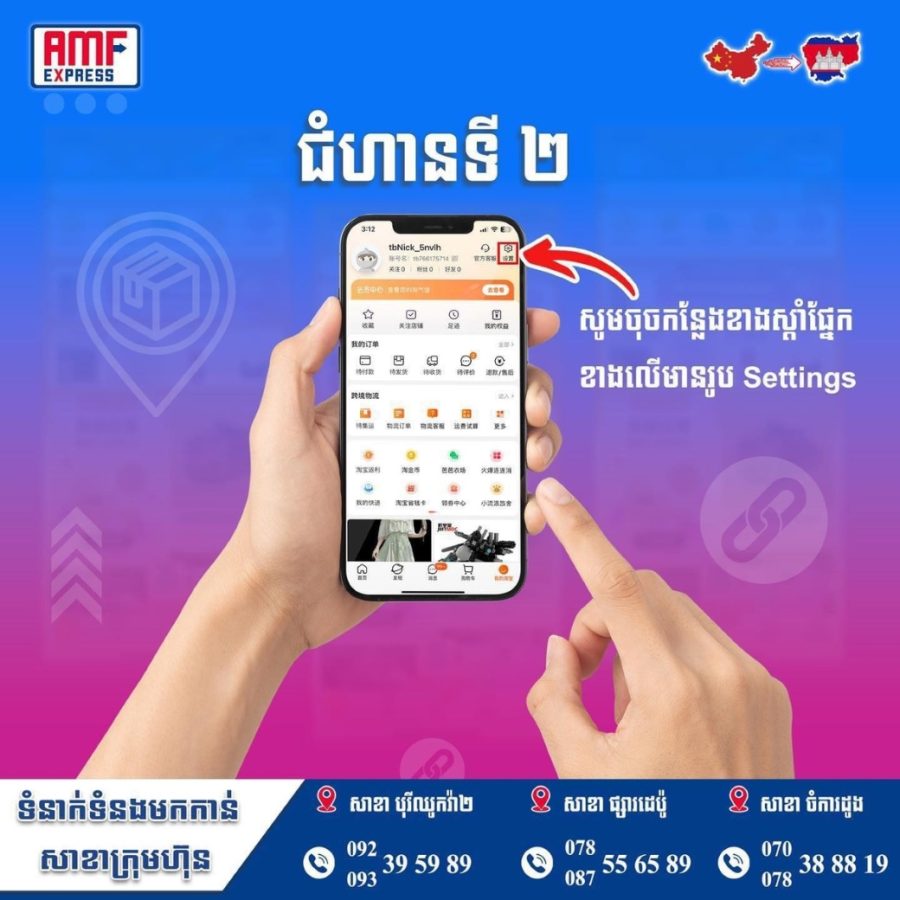
Step 2 On the top right corner of the screen, tap the Settings icon to access the settings.
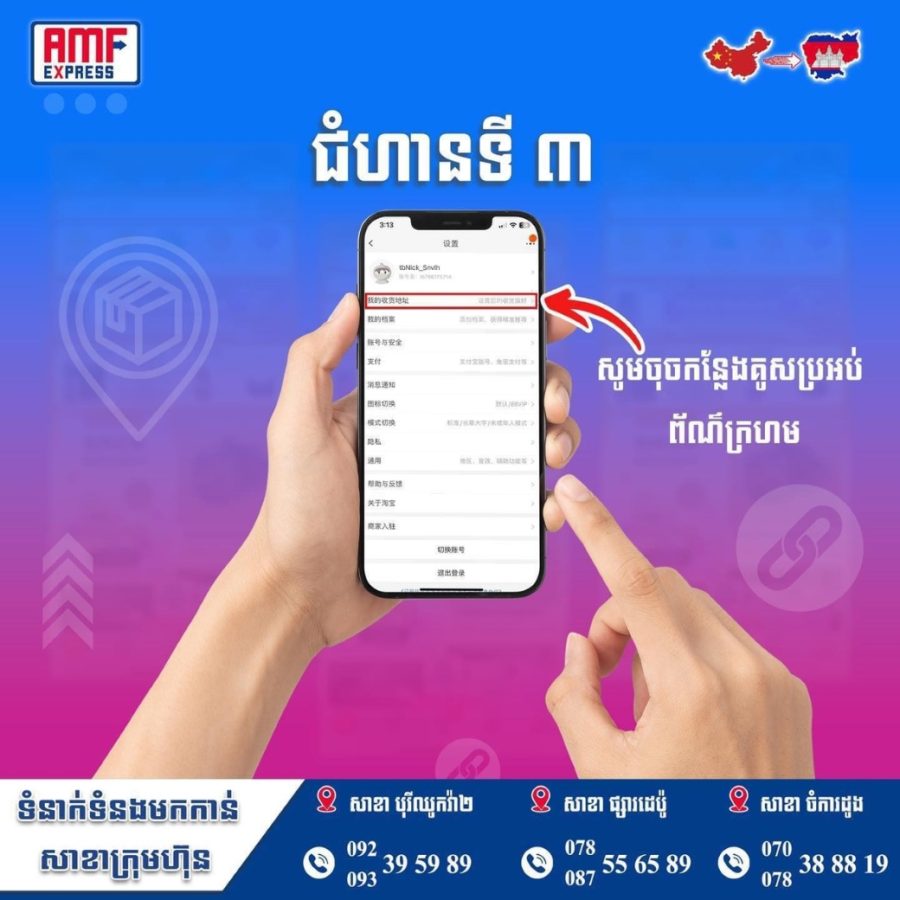
Step 3 Next, tap on the red box (as shown in the image above).
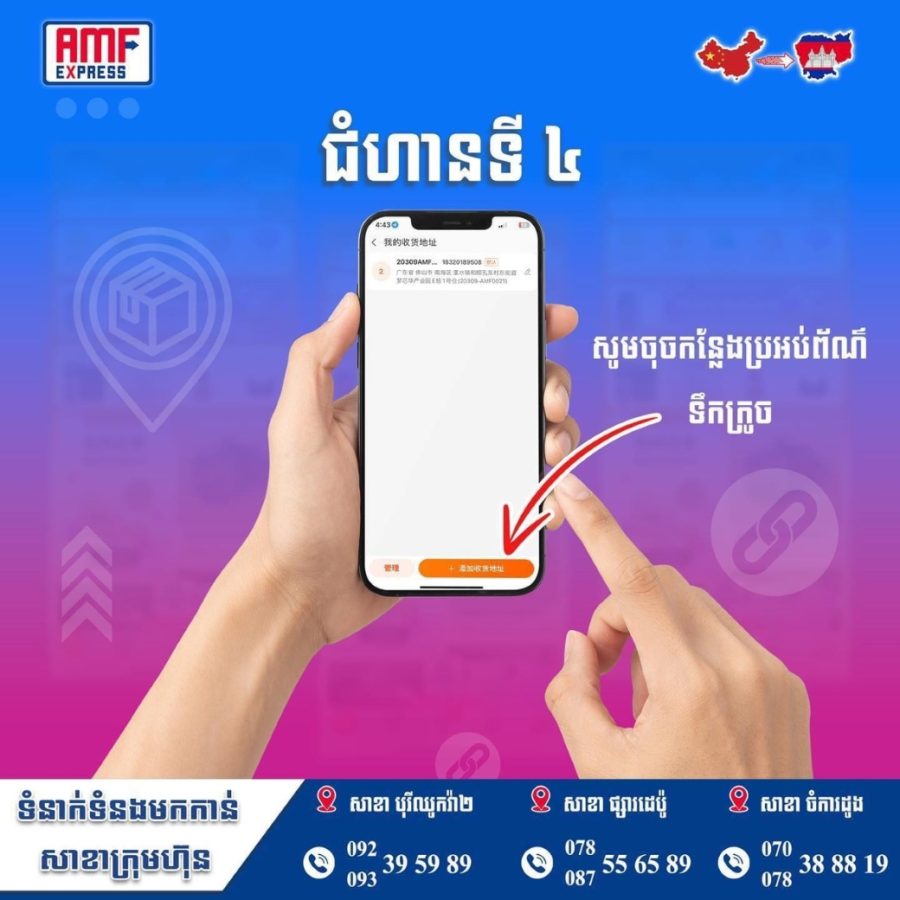
Step 4 After tapping the red box, the app will navigate you to the next screen. On this screen, tap the orange button.
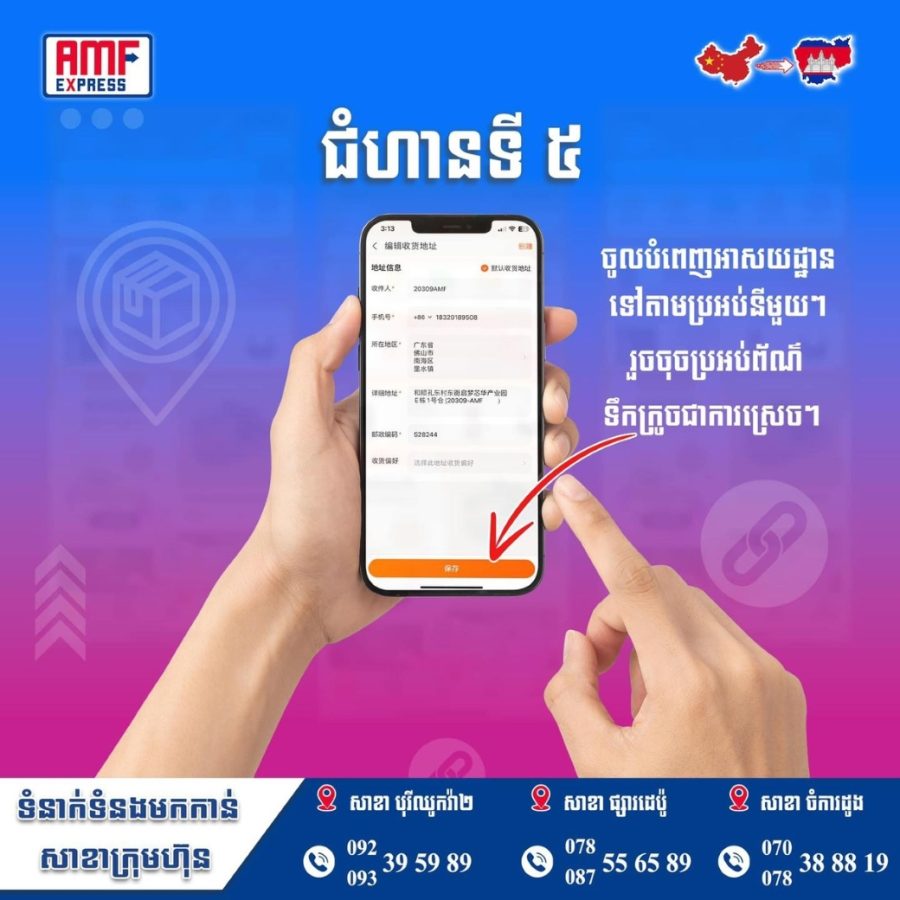
Step 5 Fill in your address details in each required field. Finally, tap the orange button again to save your address.